
Client Resources
Adding Fasturtle to Your WP Engine Hosting Account
Step 1.
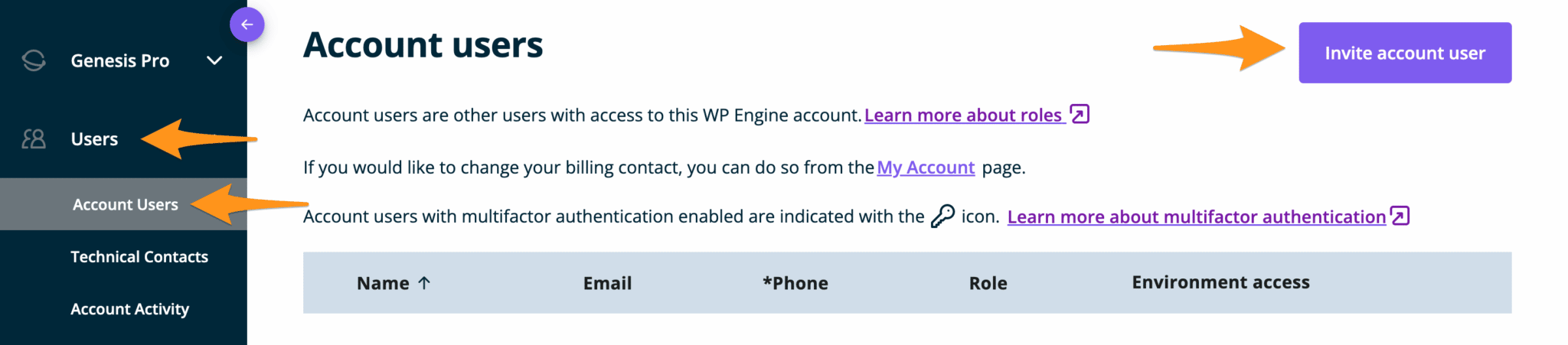
Open your WP Engine Account Users page and click the Invite account user button.
Step 2.
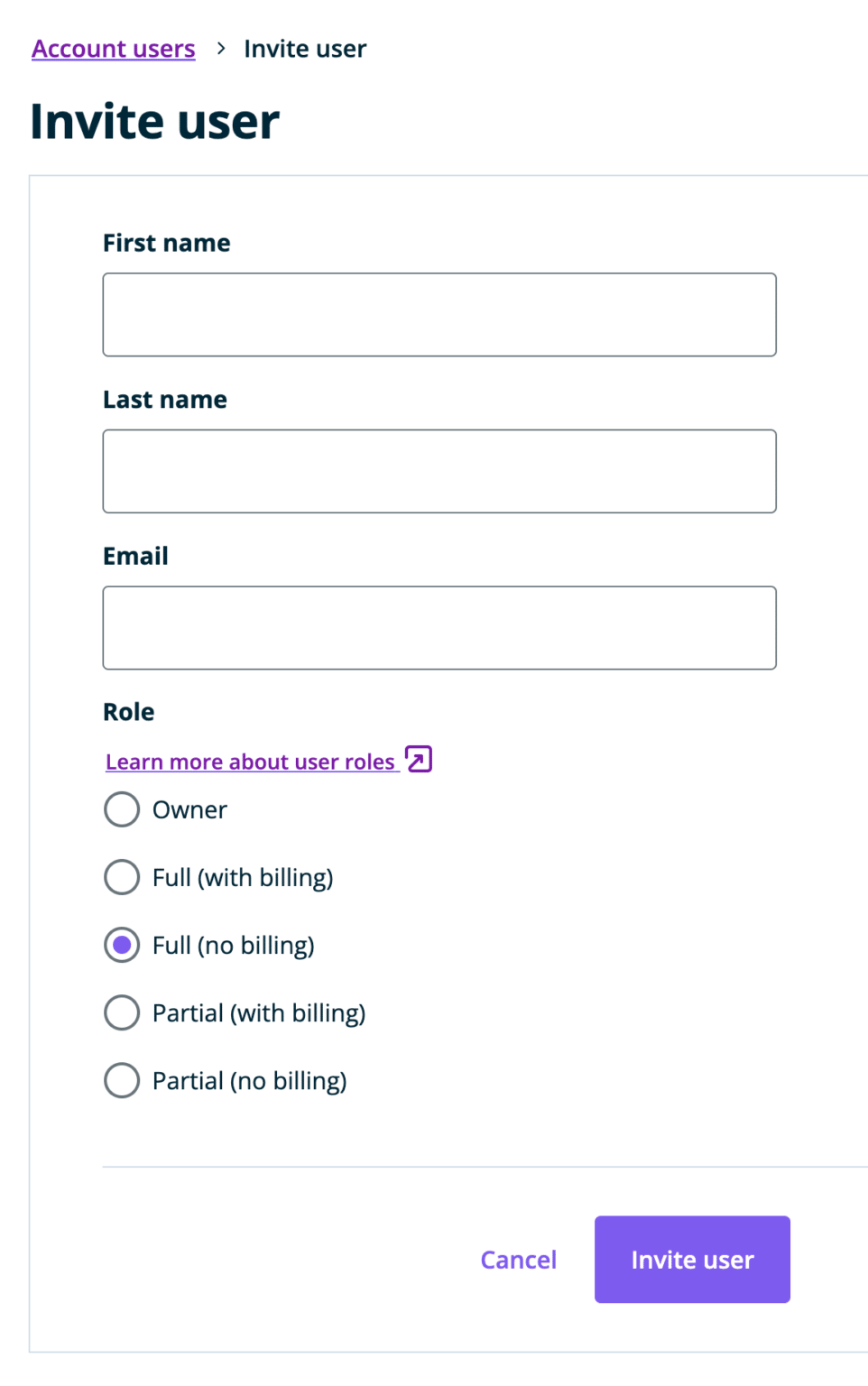
Fill in the fields and select the Full Access (No Billing) role type:
- First Name: Fasturtle
- Last Name: Support
- Email: techsupport@fasturtle.com
Step 3.
Click the Invite User button and you are all set! Fasturtle now has access to your account.